Embarking on a fitness journey is a commitment to a healthier lifestyle, and in today’s digital age, fitness trackers have become indispensable companions. But what if all your health data could converge into one intuitive platform? Enter Google Fit. This guide will navigate you through the world of fitness trackers that seamlessly integrate with Google Fit, empowering you to consolidate your health metrics and achieve your wellness goals with unparalleled ease.
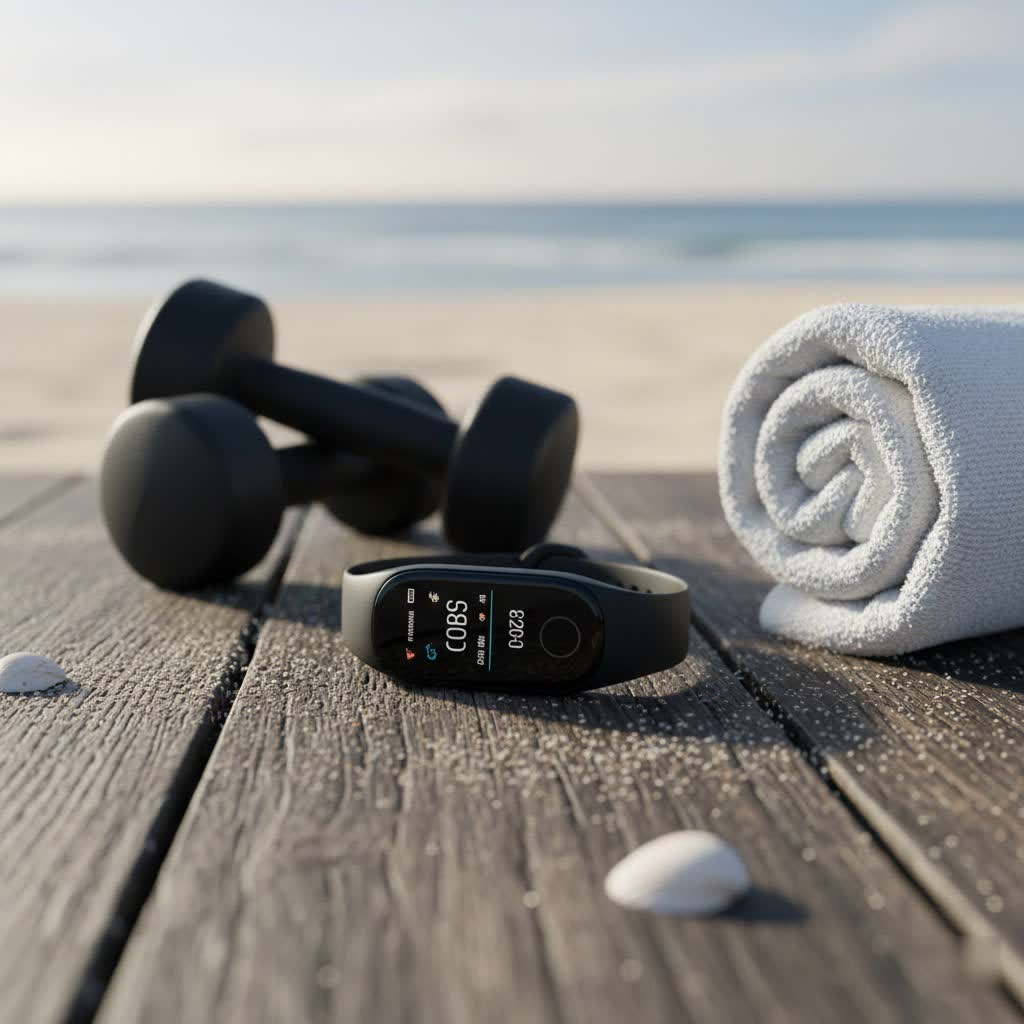
What is Google Fit and Why You Need It?
Google Fit is Google’s comprehensive health-tracking platform, designed to serve as a central hub for all your activity, fitness, and health data. Launched in 2014, it consolidates information from various devices and apps, offering a holistic view of your well-being. Built on guidelines from the World Health Organization (WHO) and American Heart Association (AHA), Google Fit empowers users to make small yet impactful changes for long-term health benefits.
At its core, Google Fit leverages a combination of your smartphone’s built-in sensors and connected wearable devices to track your movements throughout the day. Its primary goal is to encourage physical activity through engaging metrics like Move Minutes and Heart Points.
- Move Minutes: These accumulate for any physical movement, from a leisurely stroll to housework, encouraging consistent activity to reduce sedentary behavior.
- Heart Points: Awarded for moderate or vigorous activity, Heart Points are designed to help you meet recommended weekly exercise targets. You earn one point per minute of moderate activity and double points for vigorous exercise that elevates your heart rate.
Beyond these core metrics, Google Fit offers a suite of functionalities:
- Activity Tracking: Automatically recognizes and logs activities like walking, running, and cycling, tracking steps, distance, and calories burned.
- Workout Logging: Allows manual entry for various exercises such as yoga, strength training, and swimming, monitoring duration and intensity.
- Sleep Monitoring: Integrates with compatible third-party apps and devices to provide insights into your sleep patterns, duration, and quality.
- Health Metric Aggregation: Serves as a central repository for diverse health data, including heart rate, heart rate variability (HRV), weight, and nutrition, often synced from connected devices or companion apps.
By centralizing data from multiple sources, Google Fit transforms complex health information into an easily digestible format, making it an invaluable tool for anyone looking to monitor their health, set goals, and improve their overall fitness.
Popular Fitness Trackers Compatible with Google Fit
Google Fit boasts broad compatibility, working with a wide array of fitness trackers and smartwatches. This flexibility ensures that you can find a device that suits your preferences while still benefiting from Google Fit’s centralized data management. The integration often occurs directly through the device’s companion app or, in some cases, via third-party bridging applications.
Wear OS Smartwatches
|
Our Picks for the Best Fitness Tracker in 2026
As an Amazon Associate I earn from qualifying purchases.
|
||
| Num | Product | Action |
|---|---|---|
| 1 | EnergyPort Purple Fitness Tracker with Quartz Display - Smart Bracelet Monitor Heart Rate, Sleep, IP68 Waterproof for Women, 30-Day Battery Life, Smart Notifications, Compatible with Android and iOS |

|
| 2 | Fitness Tracker with 24/7Heart Rate, Blood Pressure, Sleep Tracking, Calorie, Activity Tracker with 1.1" AMOLED Color Screen, Waterproof Step Tracker for Android iPhones Women Men |
|
| 3 | Fitbit Inspire 3 Health &-Fitness-Tracker with Stress Management, Workout Intensity, Sleep Tracking, 24/7 Heart Rate and more, Midnight Zen/Black One Size (S & L Bands Included) |
|
| 4 | Fitbit Charge 6 Fitness Tracker with Google apps, Heart Rate on Exercise Equipment, 6-Months Premium Membership Included, GPS, Health Tools and More, Obsidian/Black, One Size (S & L Bands Included) |
|
| 5 | GANSI Smart Ring for Women & Men - IP68 Waterproof Fitness Tracker -Sleep Tracking Heart Rate Healthy Monitor - Activity/Steps/Calories - for iOS & Android 10# |
|
| 6 | Garmin Forerunner 55, GPS Running Watch with Daily Suggested Workouts, Up to 2 Weeks of Battery Life, Black - 010-02562-00 |
|
| 7 | WHOOP 5.0/MG Activity Tracker - 12 Month Membership - Health and Fitness Wearable – 24/7 Activity and Sleep Tracker, Personalized Coaching, Menstrual Cycle Insights – 14+ Days Battery Life |
|
| 8 | MorePro Fitness Tracker(Answer/Make Call), 1.83” Health Fitness Watch with Heart Rate, Blood Pressure,SpO2 and Sleep Monitor, 100+ Sports Modes, IP68 Waterproof Smart Watch for Men Women |
|
| 9 | USMECBL Fitness Trackers,Smart Band 24/7 Health Monitoring,Blood Oxygen Heart Rate Sleep Monitor,Calorie Pedometer Steps Counter Activity watchs/Notifications for iOS/Android |
|
| 10 | Fitness Tracker with Heart Rate/Blood Oxygen/Sleep Monitor, 20+ Sports Modes Smart Watches for Women/Men, Activity & Step Tracker Smart Watch for Android/iOS Phones |
|
Wear OS devices, Google’s operating system for wearables, offer the most native and seamless integration with Google Fit. Many Wear OS smartwatches come preloaded with Google Fit, allowing direct tracking of activities, heart rate, and other metrics from your wrist. Popular brands include Google Pixel Watch, Samsung Galaxy Watch (newer models running Wear OS 3+), and Mobvoi TicWatch.
Fitbit Devices
Following Google’s acquisition of Fitbit, integration between Fitbit devices and Google Fit has become more streamlined. Fitbit trackers like the Charge series and Inspire series can sync their data with Google Fit via the Fitbit app, providing detailed insights into your steps, heart rate, workouts, and sleep. This makes Fitbit a natural choice for those within the Google ecosystem.
Xiaomi Mi Bands
For budget-conscious fitness enthusiasts, Xiaomi’s Mi Band series offers excellent value and reliable performance. Devices such as the Mi Band 7 or Mi Band 9 Pro can directly sync with Google Fit, enabling users to track essential activities like steps, heart rate, and sleep patterns without breaking the bank.
Withings Devices
Withings offers a range of elegant hybrid smartwatches (e.g., ScanWatch) and smart scales that prioritize health monitoring. These devices can also feed their comprehensive health data, including advanced metrics like ECG and AFib detection, into Google Fit, usually through the Withings Health Mate app.
Polar Fitness Watches
Known for advanced metrics and performance tracking, Polar fitness watches (e.g., Polar Ignite, Polar Vantage) are favored by serious athletes. While they have their own robust platform, these devices can sync with Google Fit through compatible apps, allowing detailed workout and heart rate data to be centralized.
Garmin Devices
Garmin devices are renowned for their robust GPS capabilities and detailed fitness tracking. While Garmin utilizes its own extensive ecosystem, models like the Garmin Forerunner and Garmin Venu can still integrate with Google Fit. This often requires using third-party apps such as Health Sync to bridge the data between Garmin Connect and Google Fit.
It is important to note the evolving landscape of Google’s health platforms. Google has announced the deprecation of the Google Fit APIs by 2026, transitioning its core functionality to Health Connect by Android. Health Connect is a new platform designed to unify health and fitness data across Android devices, offering a more centralized and secure way to manage data sharing between apps and devices. Users should be aware that future integrations will increasingly rely on Health Connect.
How to Connect Your Fitness Tracker to Google Fit
Connecting your fitness tracker to Google Fit is typically a straightforward process, though the exact steps can vary slightly depending on your device and its companion app. The goal is to establish a link that allows your health and activity data to flow seamlessly into Google Fit for a unified overview.
Direct App Integration
Most fitness trackers that are compatible with Google Fit integrate through their dedicated companion apps.
- Install Both Apps: Ensure you have both the Google Fit app and your tracker’s companion app (e.g., Fitbit app, Zepp Life app for Xiaomi, Withings Health Mate) installed on your Android smartphone.
- Set Up Your Tracker: Pair your fitness tracker with its companion app via Bluetooth and complete the initial setup.
- Connect within Companion App: Open your tracker’s companion app. Navigate to the settings or profile section. Look for an option like “Connected Apps,” “Third-Party Services,” “Add Accounts,” or “Sync with Google Fit.”
- Authorize Connection: Select “Google Fit” from the list and follow the prompts to authorize the connection. You will typically be asked to choose which Google account to sync with and grant permissions for data access (e.g., steps, heart rate, sleep).
- Enable Auto-Sync: Many apps offer an auto-sync option. Enable this to ensure your data is regularly transferred to Google Fit without manual intervention.
Connecting Wear OS Smartwatches
Wear OS devices often have Google Fit pre-installed or readily available in the Play Store on the watch.
- Install on Phone and Watch: Install the Google Fit app on both your Android phone and your Wear OS smartwatch.
- Initial Setup: Set up Google Fit on your phone first.
- On Your Watch: Press the side button to access your app list and select Google Fit. Follow the on-screen prompts to proceed with the setup, selecting the Google account you wish to sync. Grant necessary permissions for location and other data access.
Using Third-Party Sync Apps (e.g., Health Sync)
For brands like Garmin, Samsung Health (for older models), or other platforms that do not offer direct Google Fit integration, third-party apps like Health Sync can act as a bridge.
- Download Health Sync: Install the Health Sync app from the Google Play Store.
- Select Source and Destination: Open Health Sync and choose your primary fitness app (e.g., Garmin Connect, Samsung Health) as the source for data. Then, select Google Fit as the destination app.
- Authorize Access: Follow the instructions to authorize Health Sync to access data from your source app and write data to Google Fit.
- Review Permissions: Carefully review the permissions requested and allow them to ensure proper data flow.
Transitioning to Health Connect
As Google Fit APIs transition to Health Connect, users will increasingly manage connections through this unified platform.
- Install Health Connect: Download the Health Connect app from the Google Play Store on your Android phone.
- Enable Sync in Google Fit: Open Google Fit, go to your Profile, then Settings. Under “Health Connect settings,” turn on “Sync Fit with Health Connect.”
- Manage Data and Access: In Health Connect, you can manage which apps are connected and what data they can share with or read from the platform, ensuring greater control over your health information.
Once connected, your fitness data should automatically sync with Google Fit, allowing you to view all your metrics in one place.
Comparing Top Fitness Trackers for Google Fit
Choosing the best fitness tracker to pair with Google Fit depends on your priorities, whether it’s accuracy, battery life, advanced features, or budget. Here’s a comparison of some top contenders that integrate well with Google Fit:
| Fitness Tracker | Key Features | Google Fit Sync Method | Pros | Cons |
|---|---|---|---|---|
| Fitbit Charge 6 | HR, ECG, SpO2, GPS, daily readiness, Google apps | Fitbit app (requires Google account), via Health Connect | Excellent holistic tracking, compact, good battery life | GPS accuracy issues reported, some features require Premium |
| Xiaomi Smart Band 9 Pro | HR, SpO2, GPS, 150+ sport modes, AMOLED display | Zepp Life app (direct sync) | Very affordable, rich features for the price, good battery life | Companion app can be “wonky”, less robust ecosystem |
| Google Pixel Watch 2 | HR, ECG, SpO2, cEDA, skin temp, GPS, Wear OS | Native Wear OS integration, Fitbit app, Health Connect | Deep integration with Google ecosystem, premium design, advanced health | Shorter battery life (compared to trackers), higher price |
| Withings ScanWatch | HR, ECG, SpO2, sleep apnea, hybrid analog design | Withings Health Mate app | Elegant, long battery life, medical-grade health insights | Higher price, not a full smartwatch, less “smart” features |
| Garmin Forerunner Series | Advanced GPS, HR, training metrics, multi-sport | Health Sync (third-party app) | Superior GPS, detailed analytics for athletes, very durable | No direct Google Fit sync, higher price, focus on performance |
Note: Prices are approximate and can vary.
Choosing the Right Fitness Tracker for Your Needs
Selecting the ideal fitness tracker involves weighing various factors to match your personal wellness journey. Considering your individual requirements will help you find a device that seamlessly integrates with Google Fit and genuinely supports your goals.
-
Identify Your Fitness Goals: Are you primarily focused on daily activity, running, swimming, weightlifting, or a combination? Do you need advanced metrics like VO2 max, GPS tracking, or stress monitoring? For basic step and heart rate tracking, a simpler band might suffice. For serious athletes, a device with robust GPS and detailed performance analytics is crucial.
-
Consider Desired Features:
- Heart Rate Monitoring: Essential for gauging workout intensity and overall cardiovascular health.
- GPS: Built-in GPS is vital for runners and cyclists who want to track routes and distances accurately without their phone.
- Sleep Tracking: If understanding your sleep patterns is a priority, look for devices that offer detailed sleep stage analysis.
- Water Resistance: Important for swimmers or those who want to wear their tracker in the shower.
- Battery Life: Ranges from a few days for smartwatches to weeks for basic trackers or hybrid watches. Consider how often you want to charge.
- Design and Comfort: The tracker should be comfortable for all-day wear and align with your personal style.
-
Budget: Fitness trackers range widely in price. Entry-level bands offer core features, while premium smartwatches provide extensive health insights and smart functionalities. Determine what you’re willing to spend without compromising essential features.
-
Existing Ecosystem: If you’re deeply entrenched in the Android ecosystem, a Wear OS smartwatch or a Fitbit device will likely offer the most straightforward integration with Google Fit. For iPhone users who still want to use Google Fit, third-party syncing might be necessary.
-
Importance of Health Connect: With Google’s shift towards Health Connect, considering devices and apps that are already, or will be, compatible with this platform ensures future-proof data integration. Prioritizing devices that natively support Health Connect or have robust companion apps that bridge to it will simplify your experience.
> “The best fitness tracker isn’t just about the specs; it’s about how well it fits into your daily routine and motivates you to move. Seamless integration with platforms like Google Fit is key to turning raw data into actionable insights.” – Dr. Anya Sharma, Digital Health Specialist
By carefully evaluating these factors, you can select a fitness tracker that not only meets your present needs but also evolves with your health and wellness journey.
Maximizing Your Google Fit Experience with a Tracker
Once your fitness tracker is successfully connected to Google Fit, there are several strategies you can employ to make the most of this powerful combination and truly enhance your health-tracking journey.
- Understand and Utilize Heart Points and Move Minutes: These gamified metrics are Google Fit’s way of encouraging activity. Aim to meet the recommended 150 Move Minutes and earn Heart Points daily. Google Fit provides clear visualizations of your progress, helping you stay motivated. Understand that vigorous activities earn double Heart Points, pushing you towards more intense workouts.
- Maintain Regular Syncing Habits: While many connections auto-sync, it’s good practice to occasionally open your tracker’s companion app to ensure data has transferred to Google Fit, especially after significant workouts. This prevents data gaps and provides a complete picture of your activity.
- Explore Connected Apps: Google Fit acts as a central hub. Leverage its ecosystem by connecting other health and wellness apps you use, such as Strava for detailed workout analysis, MyFitnessPal for nutrition tracking, or sleep apps like Sleep As Android. This creates a truly holistic view of your health in one place.
- Set Personalized Goals: Use Google Fit to set realistic yet challenging goals for steps, Heart Points, and Move Minutes. Adjust these goals as your fitness improves to maintain motivation and continue pushing your limits. The app’s intuitive interface makes tracking progress against these goals simple.
- Review Your Data Regularly: Take time to review your activity trends, sleep patterns, and heart rate data within Google Fit. Identifying patterns can help you understand what works best for your body, pinpoint areas for improvement, and celebrate milestones. Look for correlations between your activity levels and sleep quality, or how different workouts affect your heart rate.
- Prioritize Data Privacy and Control: Google Fit provides robust privacy settings. Regularly review and manage which apps and devices have permission to read or write your health data. You have full control over your information, including the ability to revoke access or delete historical data at any time. This ensures your personal health information remains secure and private.
- Engage with Challenges: If available, participate in Google Fit challenges or create your own with friends to add a social and competitive element to your fitness routine. This can provide an extra layer of motivation and accountability.
By actively engaging with Google Fit’s features and ensuring seamless data flow from your fitness tracker, you transform raw data into actionable insights, empowering you to make informed decisions about your health and wellness.
Important Considerations: Accuracy and the Future of Google Fit
While fitness trackers and Google Fit offer powerful tools for health management, it’s essential to understand their limitations and the evolving landscape of Google’s health ecosystem.
Accuracy of Fitness Trackers and Google Fit
The accuracy of fitness tracking data can vary significantly depending on the device and the type of metric being measured.
- Device-Dependent Accuracy: High-end trackers often feature more sophisticated sensors and algorithms, leading to more accurate readings for heart rate, GPS, and sleep. Budget trackers, while excellent for basic metrics like steps, might have slight variations in accuracy.
- Automatic vs. Manual Tracking: Google Fit’s automatic activity recognition is convenient but can sometimes be less precise than manually starting a workout. For critical data, such as during intense training sessions, manually initiating the tracking on your device or in Google Fit generally yields more accurate results.
- Environmental Factors: External factors like wrist movement, skin contact, and even environmental conditions can influence sensor readings, particularly for heart rate.
- Data Consistency: Ensure your tracker is worn correctly and consistently for the most reliable data. Irregular wear or improper fit can lead to inaccurate measurements.
The Transition to Health Connect
A critical development for Google Fit users is the planned deprecation of Google Fit APIs in 2026. Google is consolidating its health data efforts around Health Connect by Android, a new platform designed to centralize and standardize health and fitness data sharing across all Android apps and devices.
- What this means: While Google Fit’s core functionalities—like Heart Points, Move Minutes, and activity recognition—will continue, the underlying infrastructure for data sharing will shift to Health Connect. This platform aims to simplify permissions and enhance user control over their health data directly on their device.
- Impact on Users: For most end-users, this transition should ideally be seamless, with their connected apps and devices eventually routing data through Health Connect. However, it means that devices and apps that are not updated to support Health Connect may experience issues syncing with Google Fit in the future.
- Developer Adaptation: Developers of fitness apps and device manufacturers are being encouraged to adapt their integrations to Health Connect to ensure continued compatibility and data flow. This move signifies Google’s commitment to a more unified and interoperable health data ecosystem on Android.
Understanding these aspects allows users to approach their fitness data with a critical eye, appreciating the convenience and motivation offered by these tools while acknowledging their inherent variability. Staying informed about the Health Connect transition is also crucial for long-term, seamless health data management within the Android ecosystem.
Conclusion
Integrating a fitness tracker with Google Fit offers a powerful solution for centralizing your health data and gaining comprehensive insights into your well-being. By leveraging devices from Wear OS smartwatches to budget-friendly Xiaomi Mi Bands, and syncing through their respective apps or bridging platforms like Health Sync, you can transform scattered data into a unified, actionable overview. The transition to Health Connect in 2026 underscores Google’s commitment to a more streamlined and secure health data ecosystem, promising even greater control and interoperability for users.
Choosing the right fitness tracker involves a careful consideration of your personal goals, desired features, and budget, ensuring that your device not only tracks your activities but also seamlessly communicates with Google Fit. Regular engagement with the platform, understanding metrics like Heart Points and Move Minutes, and actively managing your data can significantly amplify your fitness journey.
Are you ready to take control of your health data and unlock your full potential with a Google Fit-compatible fitness tracker?
Frequently Asked Questions
Which fitness trackers offer the most seamless integration with Google Fit?
Wear OS smartwatches, such as the Google Pixel Watch or Samsung Galaxy Watch (newer models), provide native and direct integration with Google Fit. Fitbit devices, like the Charge 6, also offer seamless syncing through their companion app due to Google’s ownership of Fitbit, making them excellent choices for deep ecosystem integration.
Can I sync my Garmin or Apple Watch data with Google Fit?
Yes, you can sync Garmin data with Google Fit, typically through third-party apps like Health Sync. For Apple Watch, while primarily designed for Apple Health, its data can be integrated into Google Fit on iOS via Apple Health or compatible third-party applications, although direct sync on Android is limited.
What is Health Connect, and how does it relate to Google Fit?
Health Connect is Google’s new platform for unifying health and fitness data across Android devices, designed to centralize data sharing and enhance user control. It is set to replace the existing Google Fit APIs by 2026, meaning future integrations between fitness trackers and Google Fit will primarily be routed through Health Connect for a more streamlined experience.
